IB MYP eAssessment: What It Is, Format & How to Prepare
By Sidhi Baweja
Sidhi Baweja brings 11+ years of experience across consulting and edtech, with previous roles at KPMG and Accenture. At AssessPrep, she writes on IB assessment, digital examination workflows, and the operational side of running on-screen assessments for international schools.
Download Resource!
TL;DR
MYP eAssessment is the IB's externally checked assessment for Year 5 MYP students. It measures work against one world standard and leads to an IB credential the student keeps.
Key takeaway | What it means for your school |
MYP eAssessment is the only externally checked route for Year 5 MYP students. | Certificates a school issues on its own are not IB verified. Registering for eAssessment is the only path to an IB MYP Certificate or IB MYP Course Results. |
There are two formats: on-screen exams and ePortfolios. | On-screen exams run between 1 hour 45 minutes and 2 hours. Arts, Design, and Physical and Health Education use ePortfolios. Language Acquisition uses both. |
The IB runs two sessions a year, in May and November. | Schools pick the session that fits their school year. The IB publishes dates before each window. |
Results come out on 1 August and 1 February. | 1 August for the May session. 1 February for the November session. Both through IBIS. |
The IB gives schools an example two-year action plan. | Some deadlines need that long. Adaptations for vision or hearing impairments must be requested a full year before the session. |
AssessPrep supports MYP eAssessment preparation for 800+ IB schools in 85+ countries. | Lockdown for secure mocks, Paper Mode for paper-to-digital, criterion marking, and AI-assisted grading that speeds up the teacher's own judgement. |
What is MYP eAssessment?
MYP eAssessment is the International Baccalaureate's externally checked assessment for Year 5 MYP students. It measures student work against one world standard. The result is an IB credential the student carries into further education and work.
It runs in three ways, depending on the subject.
On-screen exams. Language and Literature, Individuals and Societies, Sciences, Mathematics, and Interdisciplinary Learning. The IB marks these.
ePortfolios. Arts, Design, and Physical and Health Education. Teachers mark these. The IB then moderates them.
Both. Language Acquisition. Students sit an on-screen exam and also do a speaking assessment that their teacher marks.
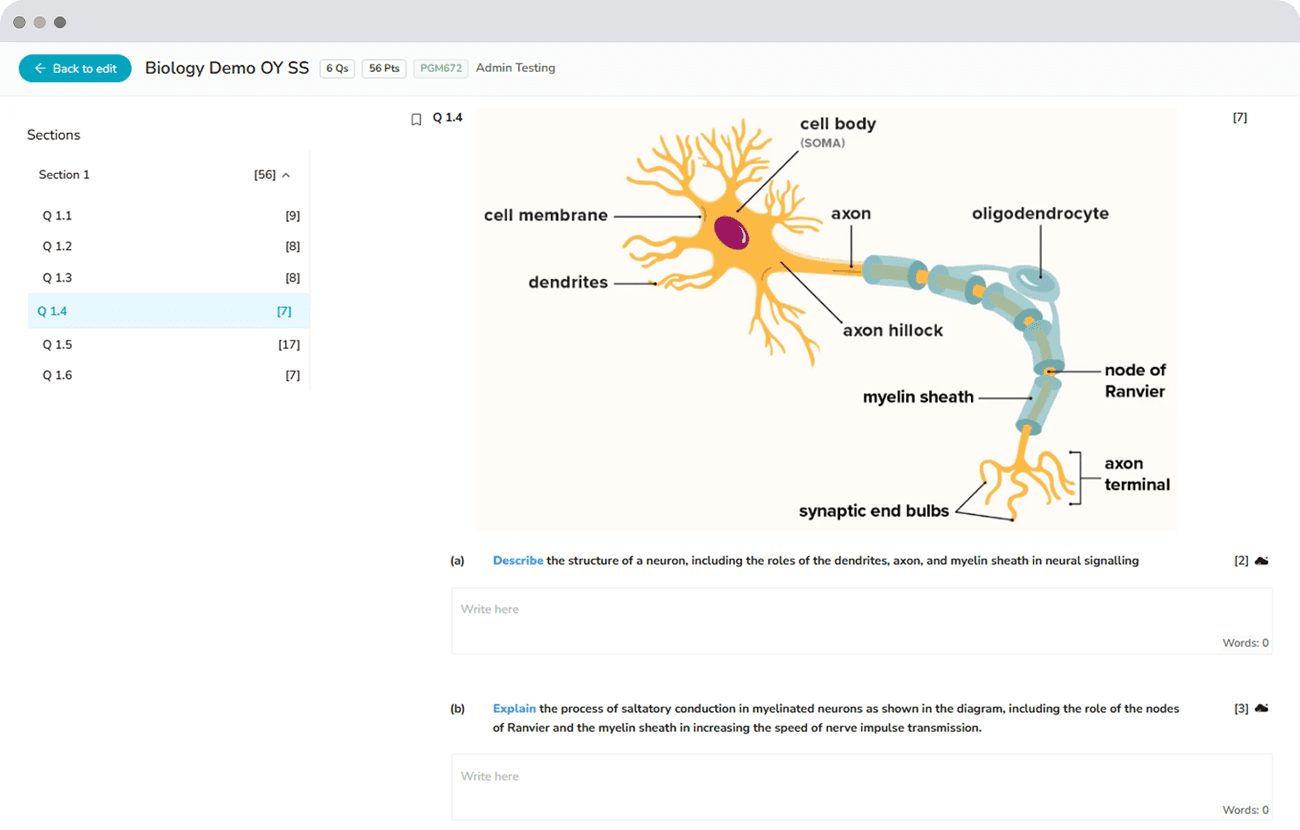
Every route is measured against the same standard. The full framework sits in the IB's Principles and Practices document. For how marks are awarded, see our guide to the MYP 0 to 8 achievement scale and final grades.
Which subjects use which format?
Five subject groups have on-screen exams. Each one runs between 1 hour 45 minutes and 2 hours.
Arts, Design, and Physical and Health Education use ePortfolios instead. Teachers mark these and the IB moderates them.
Language Acquisition sits across both. Students take an on-screen exam and complete a speaking assessment marked by their teacher.
A note on Interdisciplinary Learning
The Interdisciplinary Learning exam is the only on-screen exam for students aged 15 and 16 that tests interdisciplinary understanding. It asks students to connect different areas of knowledge. MYP students do at least one interdisciplinary unit every year of the programme, so this exam is a natural end point for that work.
How an MYP on-screen exam works
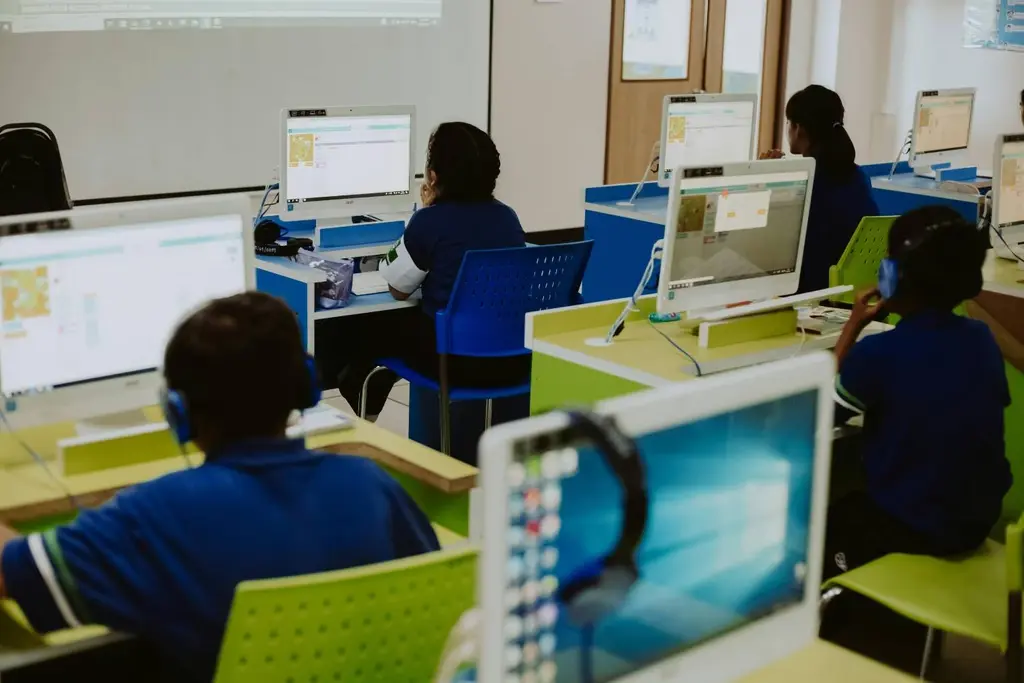
The exam runs on a laptop or desktop that meets the IB's minimum specification. During the exam, the device locks into kiosk mode. Students work with on-screen tools and media, then submit their work digitally.
What devices students need
Schools can hand out devices. Students are also allowed to bring their own laptops. If a student brings their own, they share their login details with the school's IT coordinator so the exam software can be set up beforehand.
The IB asks for the same minimum on school devices and personal ones:
Mac or Windows laptop or desktop
Intel i5 processor or equivalent
8 GB of RAM or more
At least 4 GB of free disk space
Screen resolution of at least 1280 x 768
Wired headphones, where the subject uses audio
The full technical setup covers supported browsers, network and proxy settings, power backup, and IT responsibilities. It is documented in the IB's on-screen examinations IT requirements PDF.
The exam locks the device
The student's device runs in kiosk mode for the whole exam. The IB's software locks the computer down. Students cannot leave the exam, open other programs, get online, or open notes. That is how these exams stay secure without someone watching over every screen.
The screen is interactive
The on-screen exam is built around doing things, not just typing. Students can:
Drag and drop, cut and paste, copy and paste
Play, pause and replay video and animations
Work with animations and simulations
Plot graphs and draw lines and pictures
Use on-screen graphing calculators
The exact tools change by subject and by session. Marking is digital from end to end, so results come back faster than paper.
When do MYP results come out?
MYP eAssessment results come out on 1 August for the May session. For the November session, they come out on 1 February. Results go to schools first, through IBIS. Your coordinator then passes them on to students.
Two questions come up every year.
Question | Answer |
What does a student actually get? | Either an IB MYP Certificate, for students who complete six subject groups, the interdisciplinary on-screen examination, the Personal Project, and service as action. Or IB MYP Course Results, which cover single subjects. The IB verifies both. |
Can the result be checked again? | Yes. This is called enquiry upon results. The deadline is short and it starts on the release date, so check the IB timeline as soon as results arrive. |
Your school report grades are a separate thing. Those follow your school's own calendar. School grades are your school's judgement across the whole year. eAssessment results are checked against a world standard. If a parent asks why the two are different, that is why.
Why schools choose eAssessment
eAssessment is the only route to an IB-checked outcome for MYP students.
Schools do not have to register their students. Many issue their own documents instead. Those carry no IB verification. There are two of them:
An internal MYP Certificate, awarded by the school alone. The IB does not certify it.
An MYP Record of Participation, for students who finish the programme without sitting IB external assessments.
Both are school-issued. The IB does not verify either one.
Schools register students for eAssessment when they want the full IB MYP Certificate, or official IB MYP Course Results.
Are there past papers for MYP eAssessment?
Yes. But you will not find them by searching the internet.
Past on-screen exams are published in the MYP subject-group sections of the IB's Programme Resource Centre. Your coordinator can get them.
There is a second route that many schools miss. The IB runs a student response service. Schools upload encrypted specimens or past response files. The IB sends back PDF versions by email. It exists so teachers can use past exams to help students prepare.
Because none of this sits on the open web, teachers who search from home often think no past papers exist at all.
The IB also publishes a familiarisation activity. Students use it to practise the on-screen tools in a calm setting, before exam day.
How schools get ready
The IB gives schools an example two-year action plan for putting eAssessment in place. That is a longer run-up than most coordinators expect when they first look at the calendar.
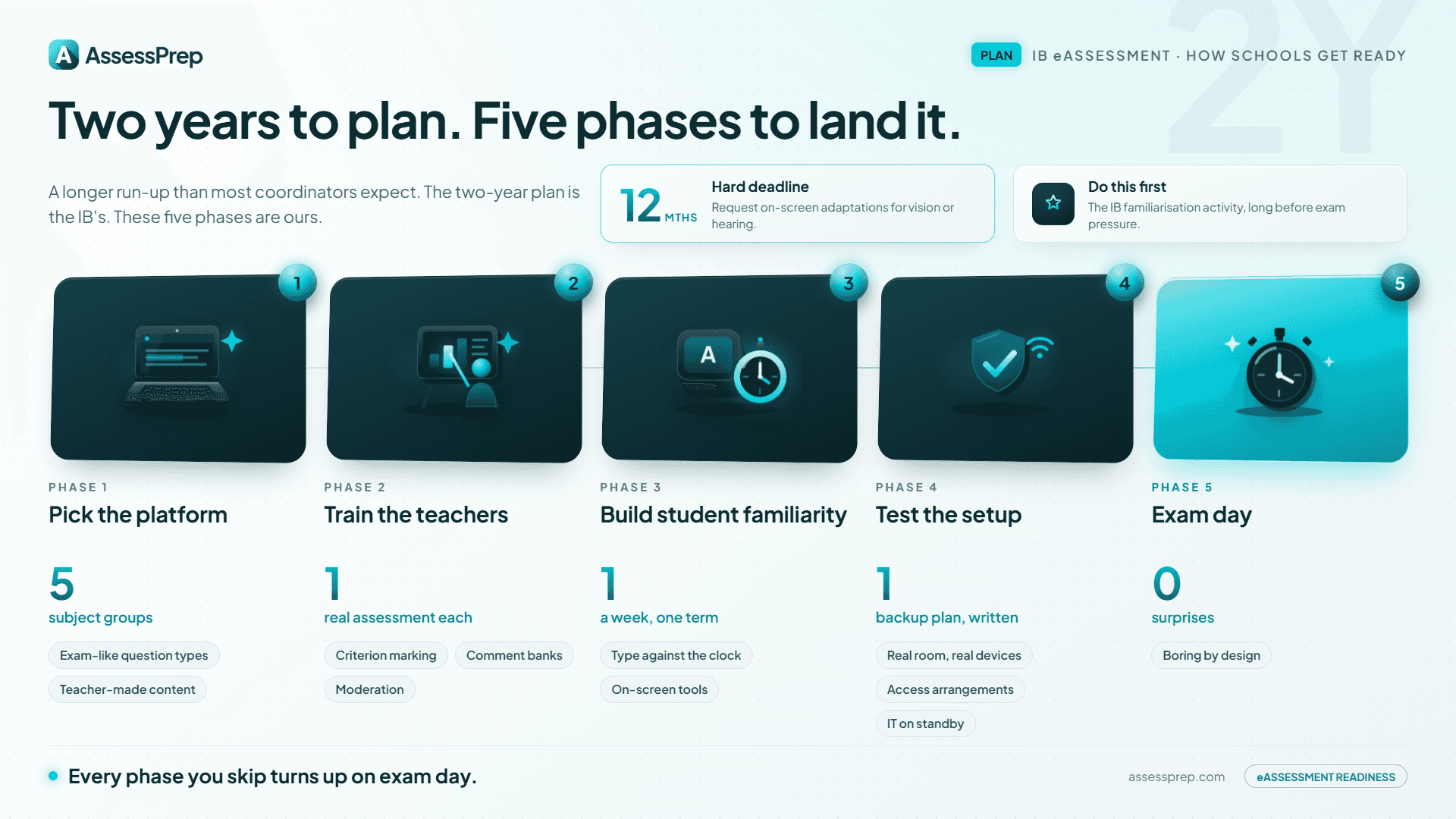
Some deadlines really do need it. If a student needs an on-screen adaptation for a vision or hearing impairment, you must ask a full year before the exam session.
The IB also asks schools to use its familiarisation activity early. That way students practise the on-screen tools calmly, instead of meeting them for the first time under exam pressure.
The steps below are not an IB rule. They are how the schools we work with usually phase the work inside one school year, underneath the IB's two-year plan.
Phase 1: Pick the platform
Check that your practice platform covers all five on-screen subject groups, with question types that feel like the real exam. Test it with real teacher-made content, not a vendor demo.
Phase 2: Train the teachers
Every teacher whose subject is going on-screen should run a real assessment on the platform before their students do. Criterion marking. Comment banks. Moderation. If teachers cannot find their way around under pressure, students will not either.
Phase 3: Build student familiarity
Students sit ordinary class tests on the platform, about once a week, for at least a term. They learn to type against the clock, move between questions, and use the on-screen tools.
Phase 4: Test the setup
Run mocks on the real exam-day devices, in the real exam-day room. IT on standby. Access arrangements tested from start to finish. Invigilators briefed. Write the backup plan down.
Phase 5: Exam day
Exam day should feel boring if the earlier phases went well.
What to look for in MYP eAssessment software
The live MYP eAssessment runs on the IB's own Digital Examination System. Schools cannot deliver the real exam on anything else. What schools buy is a platform for preparation: mocks, criterion marking, and student familiarity.
A platform worth buying should have:
All five on-screen subject groups, with flexible question types
Criterion marking, with each criterion out of 8, and moderation between teachers
A secure mode that locks the student's device for realistic mocks
Offline resilience, so answers save locally and sync if the network drops
Accessibility built in: extra time, high contrast, text to speech, font resize
AssessPrep is an AI-powered on-screen assessment platform used by 800+ IB schools in 85+ countries. It has 40000+ IB aligned questions covering both IB MYP & DP. Lockdown runs secure mocks. Paper Mode marks paper mocks back into digital analytics. AI-assisted grading speeds up the teacher's own judgement rather than replacing it.
One line worth being clear about. IB guidance treats AI-generated feedback as unacceptable on work submitted for IB assessment. On anything going to the IB, the mark and the written feedback stay the teacher's. AI-assisted marking belongs to mocks, practice and internal checks.
Common problems and how schools fix them
Four problems come up again and again. None of them are serious if you plan for them.
Typing speed
Students who rarely type against the clock run out of time.
The fix: regular class tests on the platform through the year, not a rush of drills two weeks before.
The network drops mid-exam
Even well-equipped schools see short network drops at busy times.
The fix: a platform that saves answers locally and syncs when the connection returns. Ask vendors to show you this live. Do not accept it as a bullet on a slide.
Access arrangements that break on exam day
Arrangements that worked on paper do not always work on screen.
The fix: check your register against digital equivalents, flag anything involving physical equipment, and run a full practice session for every affected student well ahead of time. Remember that adaptations for vision or hearing impairments must be requested a full year before the session.
Fitting preparation into a normal year
Year 5 students do not stop their coursework for eAssessment practice.
The fix: build on-screen practice into ordinary class tests, and put mocks inside the school calendar rather than alongside it.
Schools running both MYP eAssessment and DP on-screen delivery on one platform save time here.
Run your MYP eAssessment preparation on AssessPrep
AssessPrep is used by 800+ IB schools in 85+ countries to prepare students for on-screen assessment. Lockdown for secure mocks. Paper Mode for schools moving from paper to digital. Criterion marking against the 0 to 8 scale. AI-assisted grading that cuts marking hours on mocks and practice work. Offline resilience so answers are not lost to a network drop.
Comparing options? Start with our round-up of digital assessment platforms for 2026.
Start a 30-day free trial and run a real MYP task through the platform this term.
Key takeaways
MYP eAssessment is the only externally checked route for Year 5 MYP students. Certificates a school issues on its own carry no IB verification.
There are two formats. On-screen exams of 1 hour 45 minutes to 2 hours for five subject groups. ePortfolios for Arts, Design, and Physical and Health Education. Language Acquisition uses both.
Results come out on 1 August for the May session, and 1 February for the November session.
The real exam runs on the IB's own Digital Examination System in locked-down kiosk mode. Other platforms are for practice, not for delivering the exam.
Past on-screen exams are on the Programme Resource Centre. The IB's student response service sends back PDF versions for teaching.
The IB publishes an example two-year action plan. Adaptations for vision or hearing impairments must be requested a full year ahead.
Frequently asked questions
When do IB MYP results come out?
MYP eAssessment results come out on 1 August for the May session and 1 February for the November session, through IBIS. Schools get them first and pass them to students through the coordinator. School report grades are separate and follow your school's own calendar.
What is MYP eAssessment?
MYP eAssessment is the IB's externally checked assessment for Year 5 MYP students. On-screen exams of 1 hour 45 minutes to 2 hours cover Language and Literature, Individuals and Societies, Sciences, Mathematics and Interdisciplinary Learning. ePortfolios cover Arts, Design, and Physical and Health Education. Language Acquisition uses both. Every route is measured against the same world standard.
How many MYP eAssessment sessions are there each year?
Two. A May session and a November session. Schools pick whichever fits their school year. The IB publishes session dates and registration deadlines before each window.
Are there MYP eAssessment past papers?
Yes, but not as a public download. Past on-screen exams are published in the MYP subject-group sections of the IB's Programme Resource Centre, which coordinators can access. The IB also runs a student response service. Schools upload encrypted specimen or past response files and get PDF versions back by email, so teachers can use past exams to prepare students. None of this sits on the open web, which is why teachers searching from home often think no past papers exist.
What devices do students need for MYP on-screen exams?
A Mac or Windows laptop or desktop that meets the IB minimum: an Intel i5 processor or equivalent, 8 GB of RAM or more, 4 GB of free disk space, a screen of at least 1280 x 768, and wired headphones where the subject needs audio. Schools can hand out devices or let students bring their own. Student devices are set up with the school's IT coordinator before the session.
What is the difference between an IB MYP Certificate and a Record of Participation?
The IB MYP Certificate goes to students who register for eAssessment and meet the full requirements across the subject groups, plus the Personal Project and service as action. A Record of Participation is issued by the school, for students who finish the programme without registering for IB external assessment. It carries no IB verification. IB MYP Course Results sit between the two and cover single subjects.
How long before the exam should a school start preparing?
The IB gives schools an example two-year action plan. Some deadlines need that much time. Adaptations for vision or hearing impairments must be requested a full year before the session. The IB also asks schools to use its familiarisation activity early, so students practise the on-screen tools before exam day rather than on it. AssessPrep supports MYP eAssessment preparation for 800+ IB schools across 85+ countries, with secure mock delivery, criterion marking and offline resilience.
Articles
Read more from our blog

6 digital assessment tools international schools actually use in 2026
Six digital assessment tools for IB, Cambridge and Edexcel teachers, sorted by create, deliver or mark, with what each one cannot do.

10 academic integrity examples for international schools
10 real academic integrity examples for IB, Cambridge & Edexcel schools: what honest work looks like in practice, plus the classroom strategy behind each one.
3 mind read